
THE MICROTECHNOLOGY INFORMATION PORTAL | THE SHOW

17.12.2000
J - Service companies
How to create your “exhibitor” tickets
 An exhibitor scanned at another exhibitor's stand at SIAMS 2026. (Oops, the ‘scanning robot’ seems a bit clumsy.)
During the post-SIAMS meetings, participants decided to abandon the ‘exhibitor’ wristbands, which were deemed impractical, and return to more traditional ‘exhibitor’ tickets. These are visually very different from visitor tickets and will be immediately identifiable by security. As with the wristbands, exhibitors will not need to be scanned at the entrances, ensuring a smoother flow. The QR code will nevertheless allow all other exhibitors to scan the ‘exhibitor-visitors’ at their stand.
To create your ‘exhibitor tickets’ Go to the standard ticket office page.
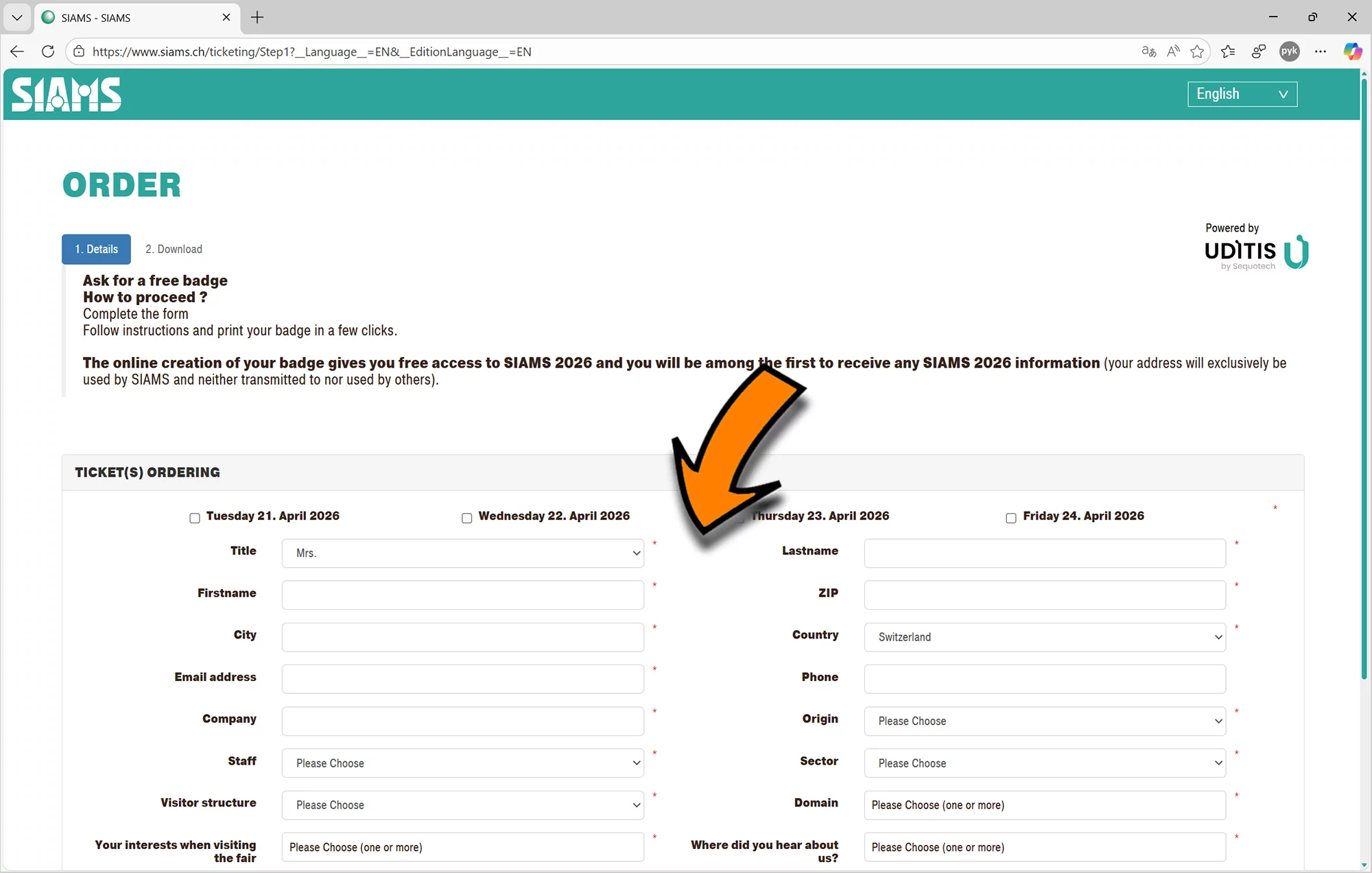
To ensure efficient scanning at the trade fair by companies using the system, please complete all fields during the ordering process. For exhibitors, the “interests” and ‘via which medium’ fields are not mandatory.
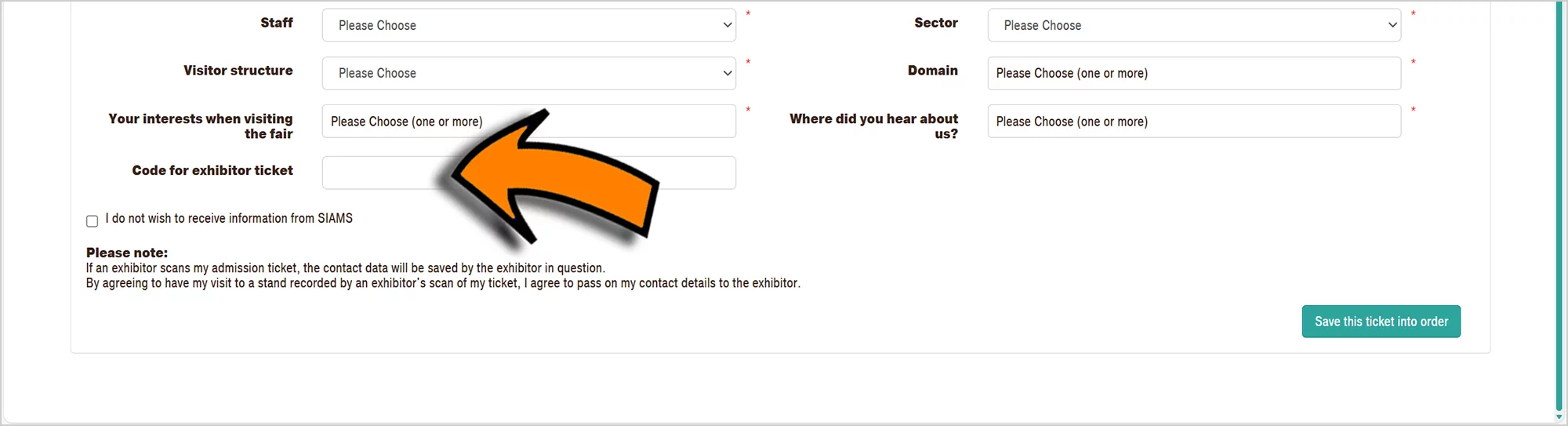
Then enter the code for ‘exhibitor ticket’ received by email and save. This code automatically validates your ticket for the four days of the event.
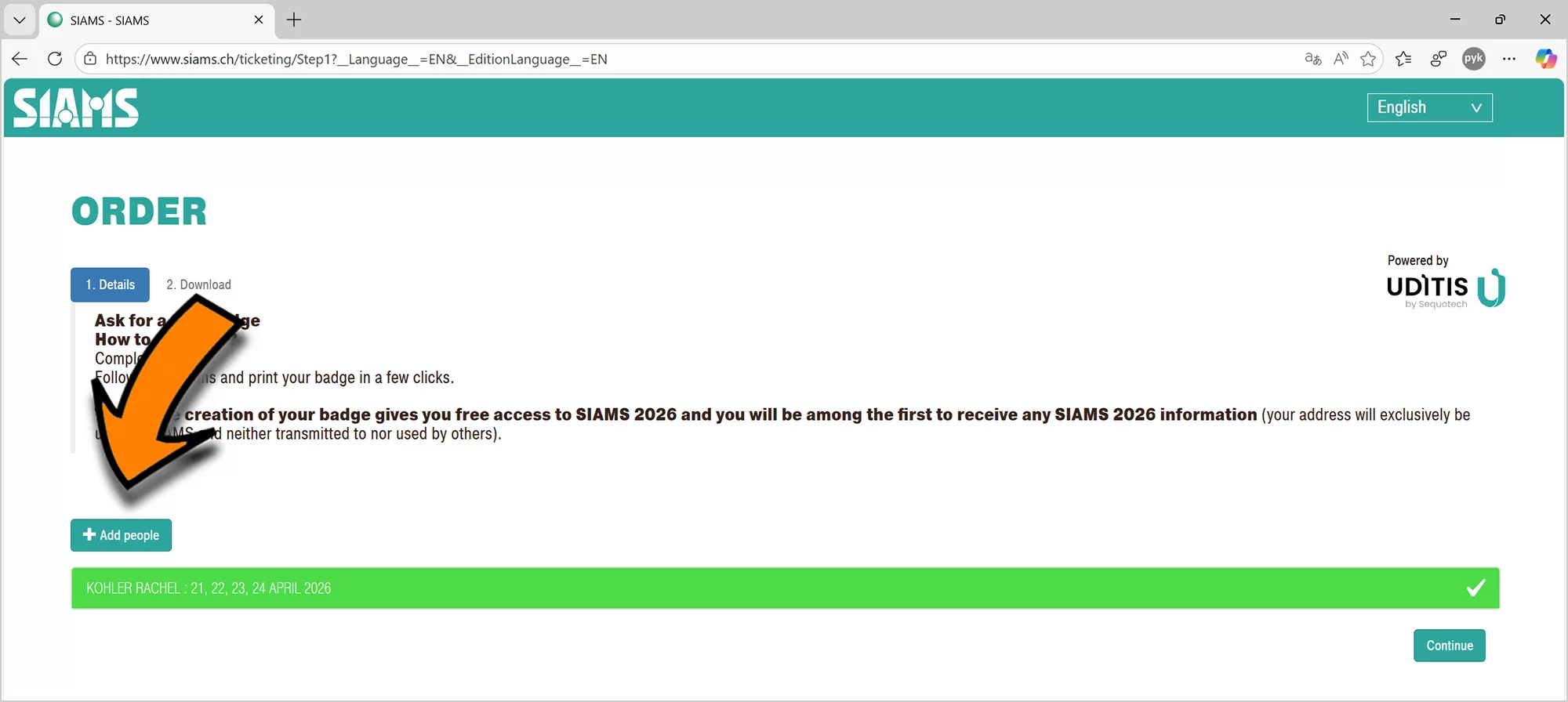
You can add tickets to your order.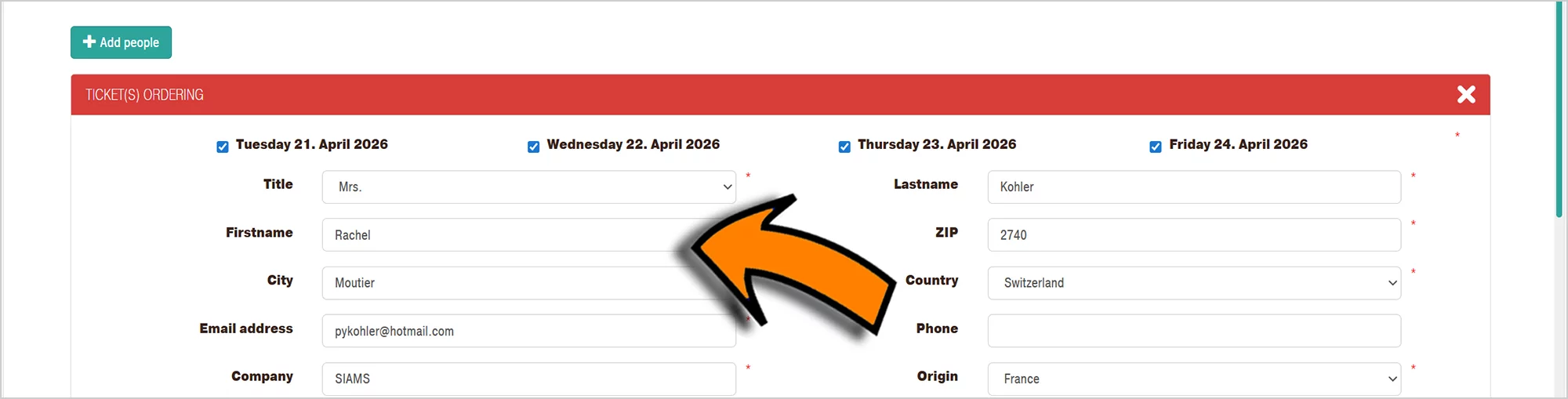
The fields are automatically filled in, so you don't have to enter all the data multiple times. Simply change the names (and email address, if applicable) and ‘Save this ticket in the order’. You can add as many tickets as you like.
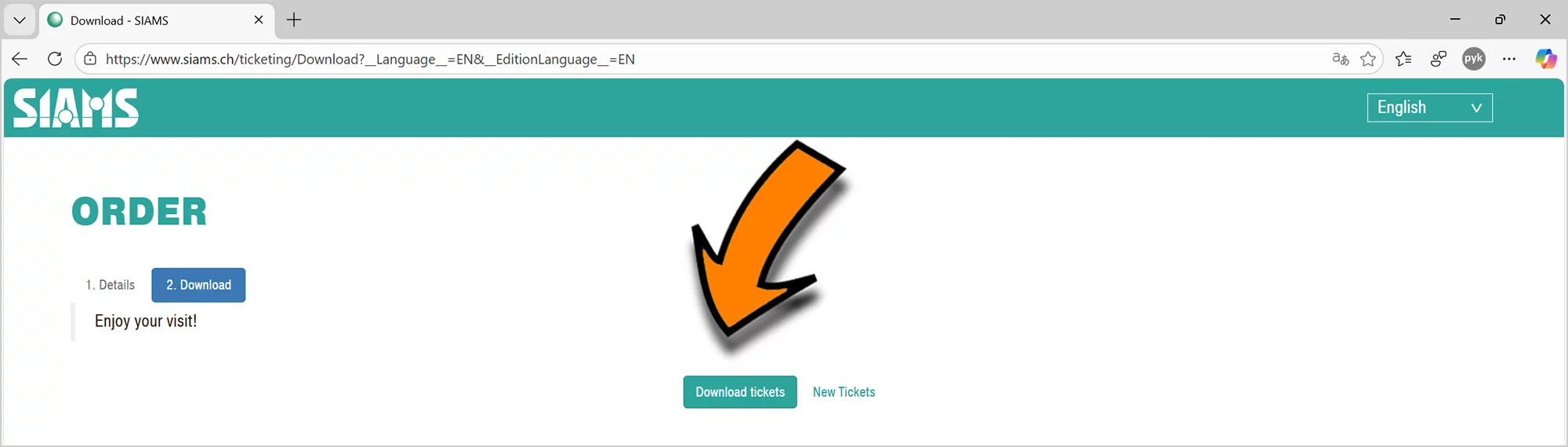
You can then download your tickets.
All your tickets are compiled in a single PDF document that you can simply print out.
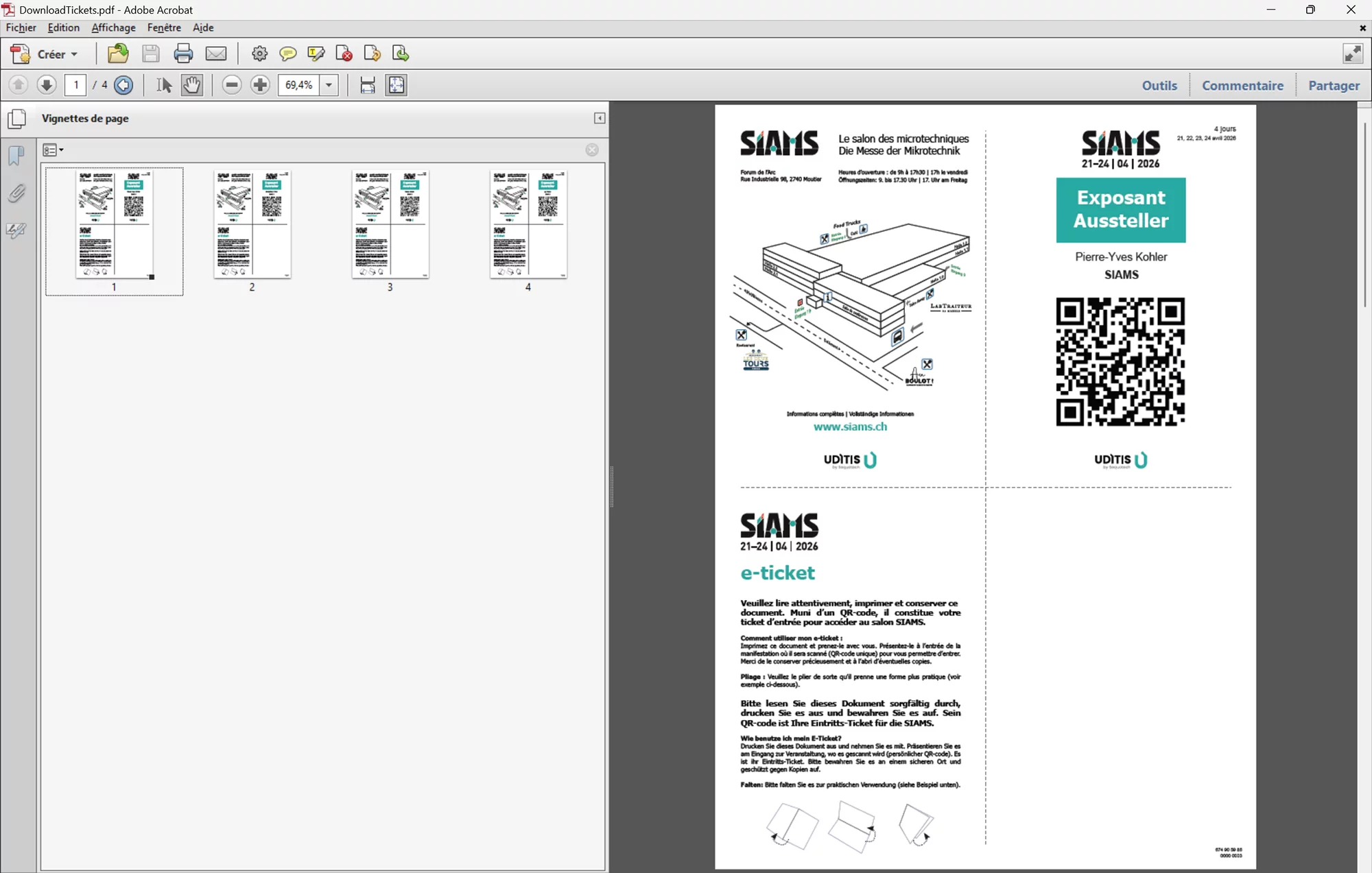
If you have provided different email addresses for different people, each person will receive their ticket at the address provided.
Have a great show!