
THE MICROTECHNOLOGY INFORMATION PORTAL | THE SHOW

13.01.2000
J - Service companies
Visit reports, more details!
 Mory Abro, a long-time SIAMS regular, scans a visitor at her stand 😉.
How to scan your visitors
The scanning system offered in 2026 allows you to quickly retrieve all the data of visitors to your stand. And if the customer does not wish to be scanned, you can add visit reports manually. Let's see how it works.
To scan the ticket, open the SIAMS website in exhibitor mode. (As a reminder, you can create accounts for your employees here: ). Select ‘Scan ticket’ (1) and the system will open your camera, scan the ticket and enter the data into the database.
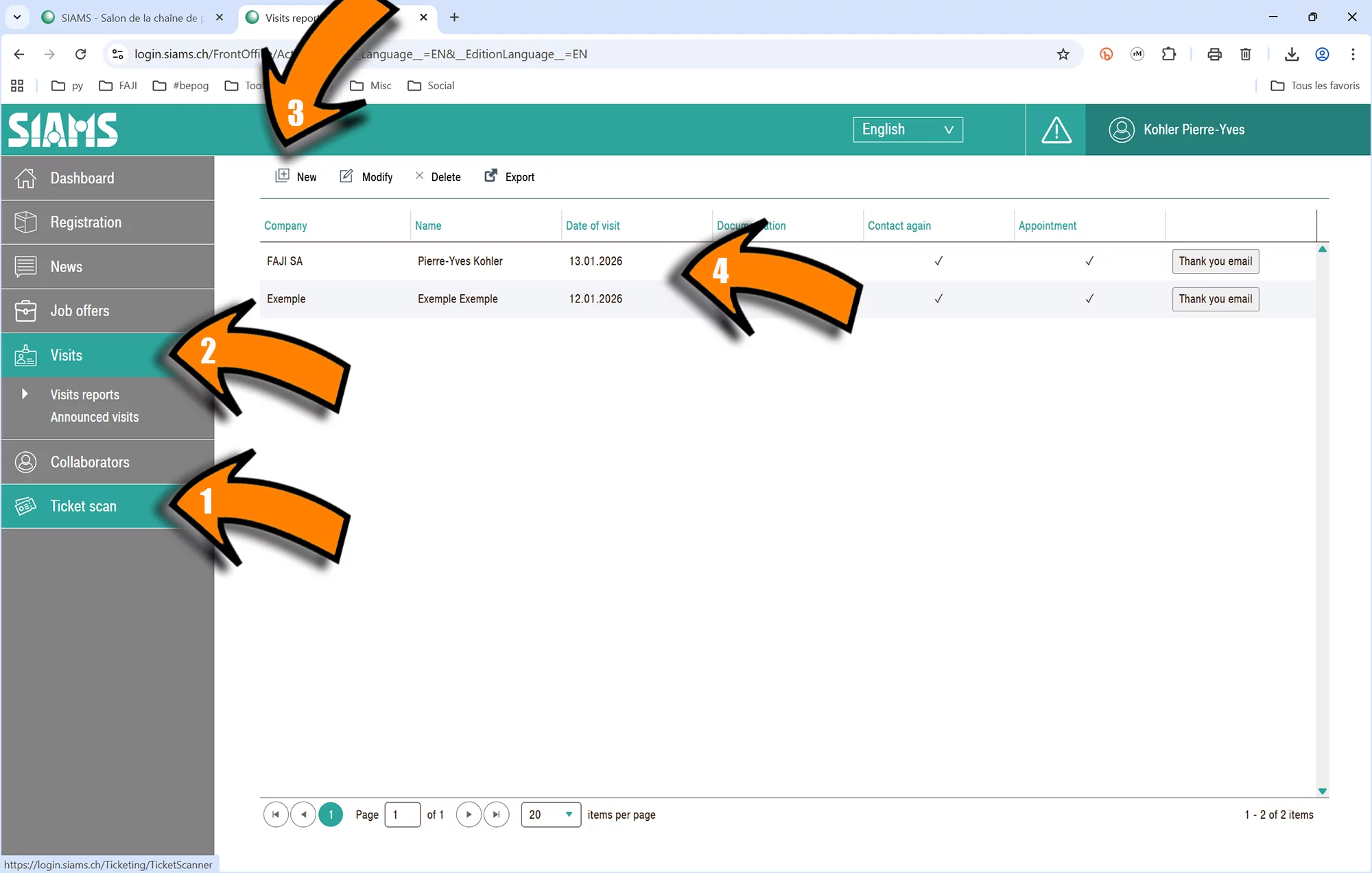
By selecting Visit Report (2) and New (3), you can enter a report manually. All scanned and manually added reports appear in the list (4).
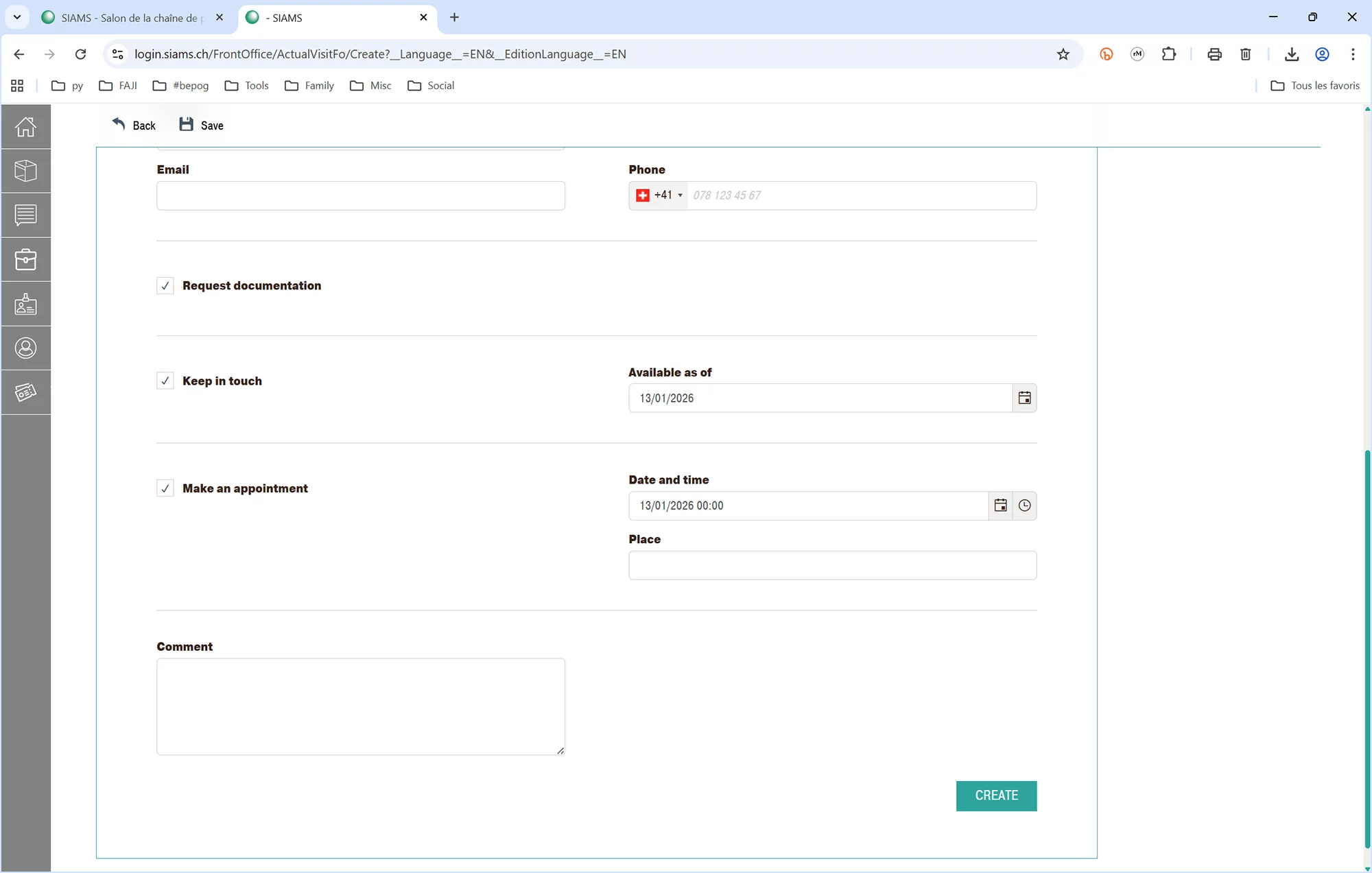
In both cases, you can document the request with some information and add a free comment.
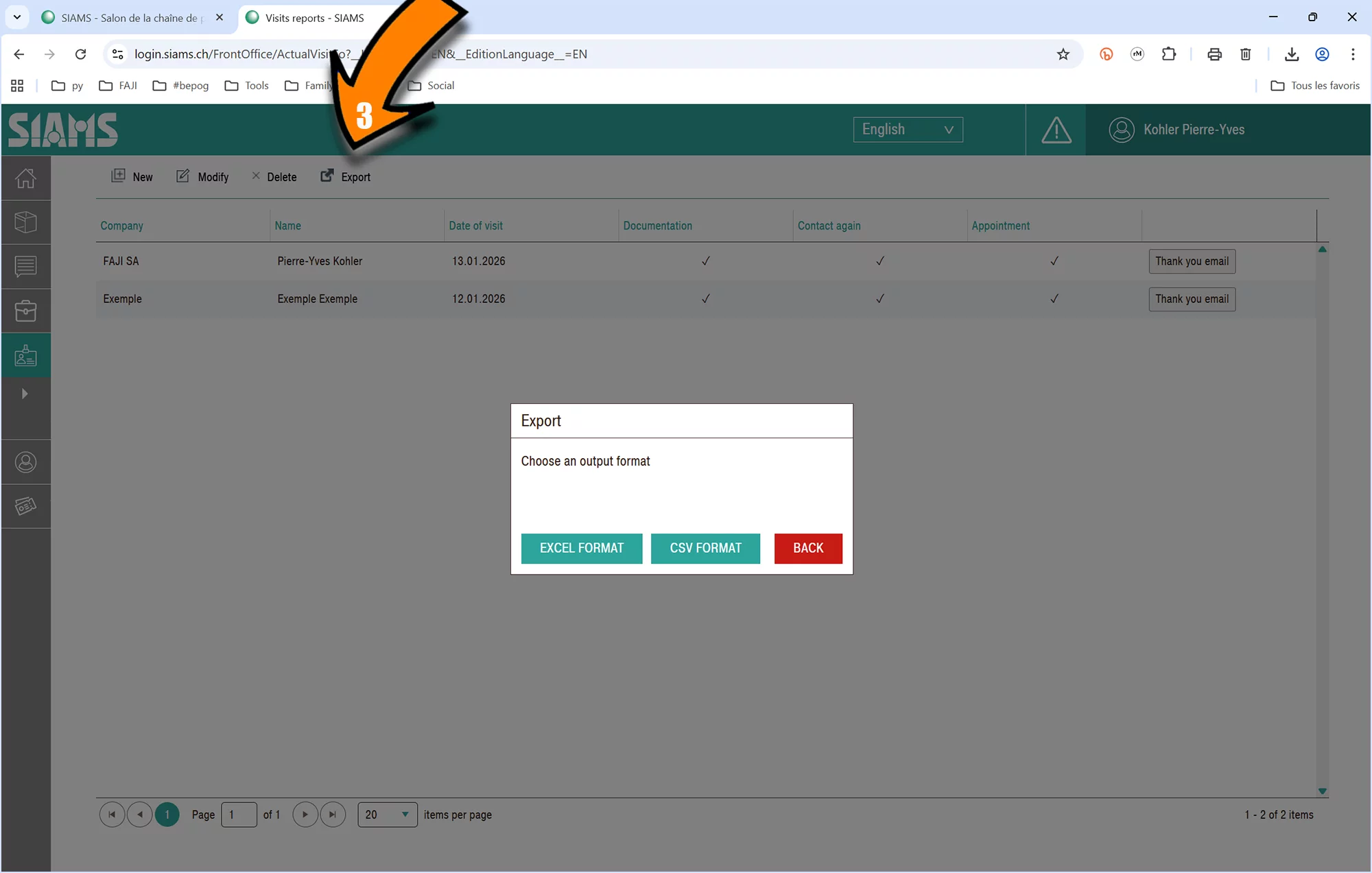
The completed list can then be exported in .csv and .xls format for use in Excel or a CRM system.
Visitor creation and export will be functional from the beginning of 2026 and can be tested immediately. Ticket scanning can be tested from 21 to 24 January, February and March. If you are interested in using the tool, we invite you to test these features well in advance to ensure compatibility with your own tools.
After consulting with our IT experts, we have decided not to offer the development of specific APIs for any particular CRM system.
Your usual contacts at SIAMS are, of course, available to answer any further questions you may have.
We wish you every success at SIAMS 2026 (and with this tool 😁).